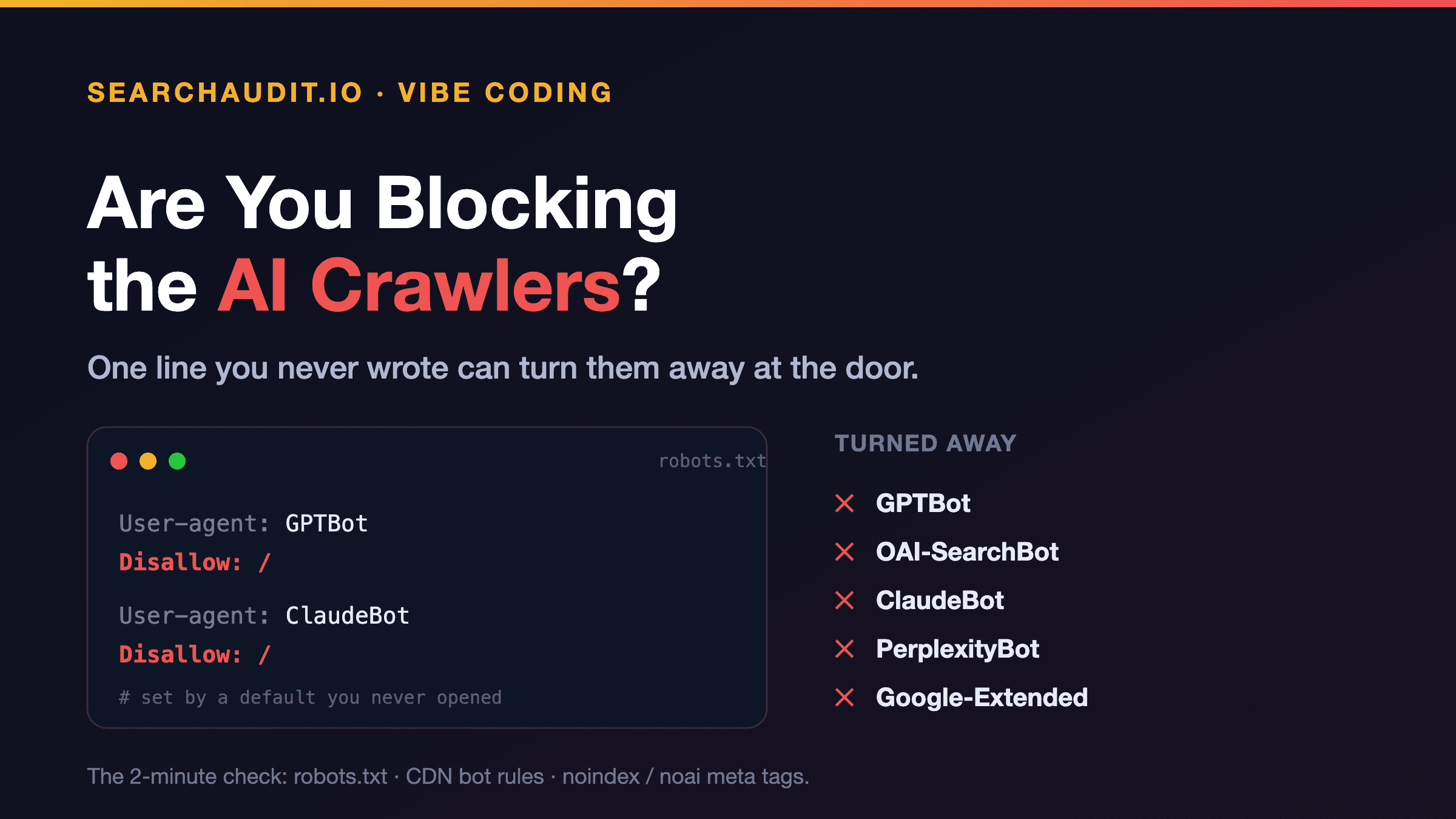
You can get everything else right — real HTML, a llms.txt, clean structured data — and still be invisible to AI search for one dumb reason: your site is telling the AI crawlers to go away, and you never knew you set it.
It happens more than you'd think. The instruction lives in files most people never open — robots.txt, a meta tag, a security setting on your host — and it's often switched on by a default, a template you copied, or a plugin you installed for something else. The crawler shows up, reads "not allowed," and leaves. Nothing you did to your content matters, because nothing got read.
The crawlers that matter
AI search engines don't all use one bot. The ones worth knowing about, by the company behind them:
OpenAI (ChatGPT): GPTBot, OAI-SearchBot, and ChatGPT-User. Anthropic (Claude): ClaudeBot and Claude-User. Perplexity: PerplexityBot and Perplexity-User. Google: Google-Extended — this one is a toggle that controls whether your content can be used for Gemini and AI answers, separate from normal Google indexing.
Vendors add and rename these over time, so treat this as the shortlist, not the whole list. The point is that "I'm not blocking Googlebot" doesn't mean you're not blocking these.
Why you might be blocking them without knowing
A few common ways it happens by accident:
A builder or template default. Some starter setups ship a robots.txt that disallows broadly, or a "discourage search engines" switch that's on. A privacy or "block AI scrapers" plugin. These are popular, and many toggle on GPTBot/ClaudeBot/CCBot blocking by default. Great if that's what you want — a problem if you didn't realize it also removes you from AI answers. A CDN or security layer. Bot-fighting modes and firewall rules can challenge or 403 these crawlers before they ever reach your page, even though your robots.txt looks fine. A stray meta tag. A noindex or an AI-specific noai / noimageai tag on a page does the same job quietly.
How to check, in two minutes
Open https://yoursite.com/robots.txt in a browser. Look for any Disallow: / under User-agent: *, or specific blocks like User-agent: GPTBot → Disallow: /. If you see the AI bots named with a disallow, that's your answer. Check your host / CDN for a "bot protection," "AI bot blocking," or "block AI scrapers" setting, and any firewall rule that filters by user-agent. View your page source (not the rendered page — the raw HTML) and search for robots meta tags with noindex, noai, or none. Check any SEO or privacy plugin's settings for an AI-crawler section.
How to fix it
If you want to be present in AI answers, make sure nothing blocks the retrieval crawlers. In robots.txt, that usually means removing a blanket Disallow: / and not naming the AI bots under a disallow — or explicitly allowing them:
User-agent: GPTBot
Allow: /
User-agent: ClaudeBot
Allow: /
User-agent: PerplexityBot
Allow: /
Then confirm your CDN/firewall isn't overriding that, and clear any noindex/noai tags on the pages you want cited.
The honest caveat: blocking AI crawlers is a legitimate choice. Some people don't want their content used for AI training, and that's fair. But it's a decision you should make on purpose — not discover by accident after wondering why you never show up. And it's worth knowing the nuance: some controls (like Google-Extended) are about training and grounding, while the retrieval bots are what actually fetch you to cite you in a live answer. If citation is the goal, those need through.
The fastest way to know. Our free audit checks whether AI crawlers can actually reach and read your site — access included, not just content. Paste your URL, get your AI Visibility Score and the specific issues, in about 60 seconds, no signup. If access is the problem, you'll see it. If you want the fixes done, the one-time $29 Fix Pass unlocks every fix for that site — a re-prompt, a code patch, or a GitHub PR — no subscription.
Everything else in AI visibility is about being readable. This one's simpler: first, make sure you're not slamming the door. Two minutes in a file you've probably never opened.
(Crawler user-agent names are current as of publication and change over time — confirm the latest before editing. Figures reference SearchAudit's 301-site study. This is about presence/citation in AI answers, not traffic or Google rankings.)