You built your site on Lovable. It looks great. But when someone asks ChatGPT for "the best tool for X," you're nowhere — even though you'd be a perfect answer. Here's why, and how to fix it in about 20 minutes.
The one-line problem: AI crawlers don't run your JavaScript. If your content only appears after the browser executes JS, the AI sees a blank page.
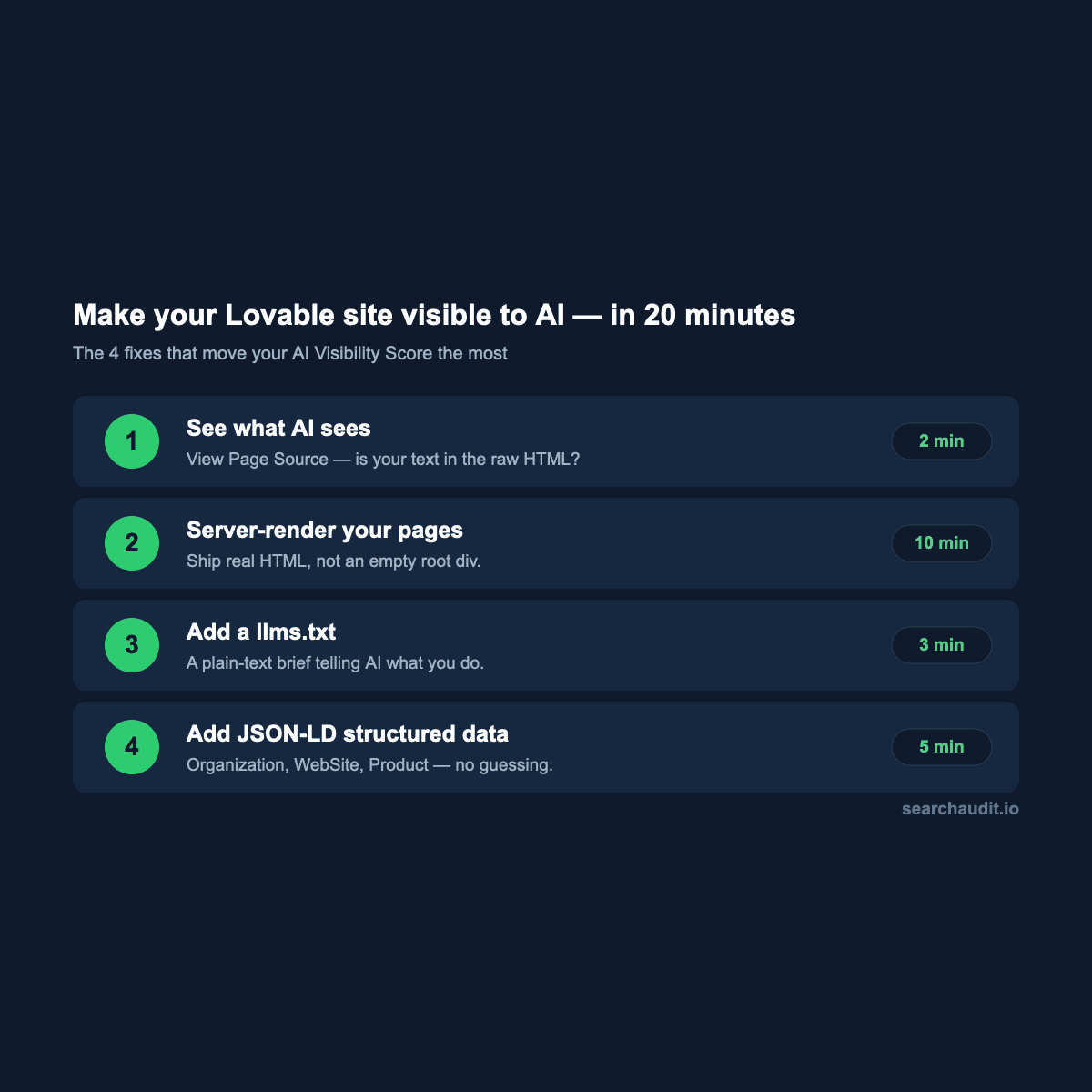
The 20-minute fix:
Check what the AI actually sees (2 min). Right-click → "View Page Source" (not "Inspect"). If your headlines and body text aren't in that raw HTML, neither ChatGPT nor Perplexity can read them. Server-render or pre-render your key pages (10 min). Make sure your homepage and main landing pages ship real HTML content, not an empty
Then check your work. Re-run a free AI-visibility audit and watch the score. In our data, the sites that get these four things right are the ones that land in the 80s and 90s.
Run your free check at searchaudit.io — paste your URL, get your score and the prioritized fix list in 60 seconds.
See what AI sees on your site
Free score & issues report. No signup.